
Website
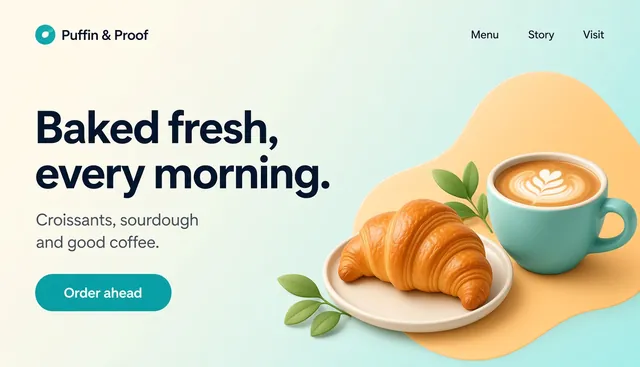
Puffin & Proof: bakery & café website with shop pages
By Templates.party
Warm café landing page plus product, checkout, order-confirmed and login pages, with a working demo cart.
Pay what you wantLive demo
A calm, pastel Notion dashboard for students: classes and timetable, assignments and exams with countdowns, a weighted grade tracker that shows what you need on the rest, and a Pomodoro timer with a study log.
 By Templates.party
Duplicate it into your Notion and run your whole term from one home page. See what’s due this week and which exams are coming, start a focus round without leaving the page, and check your grades so far. Give each assignment its weight from the syllabus and a score when it comes back, and Study Buddy works out your current %, a letter grade and the average you need on everything left.
Due soon, upcoming exams, a focus round, grades, study minutes and your timetable.
Open in the demo (opens in a new tab)Try the weighted grade calculator with sample classes.
Open in the demo (opens in a new tab)The themed Pomodoro that sits on the home page. Try it live.
Open in the demo (opens in a new tab)Each database, its formulas and views, the guides and the covers.
Open in the demo (opens in a new tab)#1E3A34#FCF6EC#F6B79B#9ED9C0#C9B8F0#A8CBEFUses Notion’s own fonts; the timer uses Fredoka + DM Sans (free, OFL)
Pick a theme with Notion’s “Change cover” (the files are in covers/) and set the timer to match with one click.
Every class, teacher, assignment, score and study session in the template is fictional sample data. Grade numbers are a planning helper; your syllabus and school portal always win. Delete it, or keep a few rows as examples while you set up.
Pay what you want, once: no subscription. Use it for your own business or for client work, on unlimited projects. You can’t resell or redistribute it as a template. Full terms.
Every order comes with a license key, whatever amount you choose. The key unlocks MCP access, so AI assistants like Claude, ChatGPT or Cursor can read, customize and download the templates you own.
By Templates.party
Warm café landing page plus product, checkout, order-confirmed and login pages, with a working demo cart.

By Templates.party
Dark, editorial one-page site: tabbed menu, chef story, private dining and a reservation form.
By Templates.party
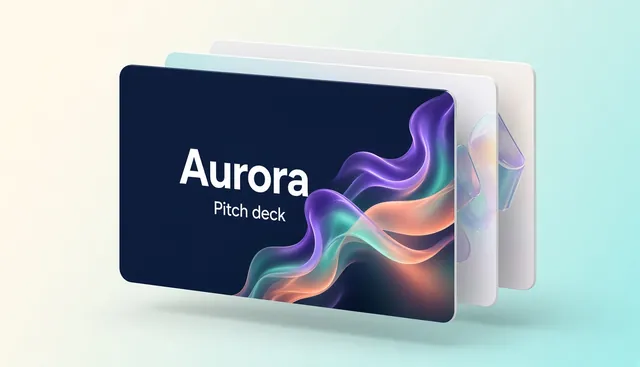
Airy 12-slide investor deck with aurora glows: problem, solution, market, model, traction, team and the ask.
By Templates.party
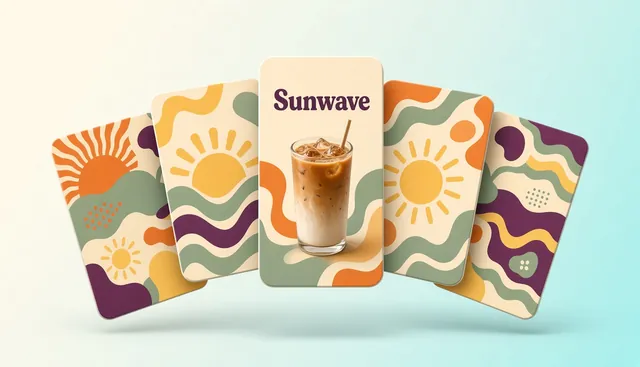
Twelve warm designs for Instagram, TikTok and LinkedIn as layered SVG plus ready-to-post PNG, with fonts.

Every niche is on the guest list. Find the template that fits your next project.